Why Manual AI Usage is Killing Your Sales Efficiency
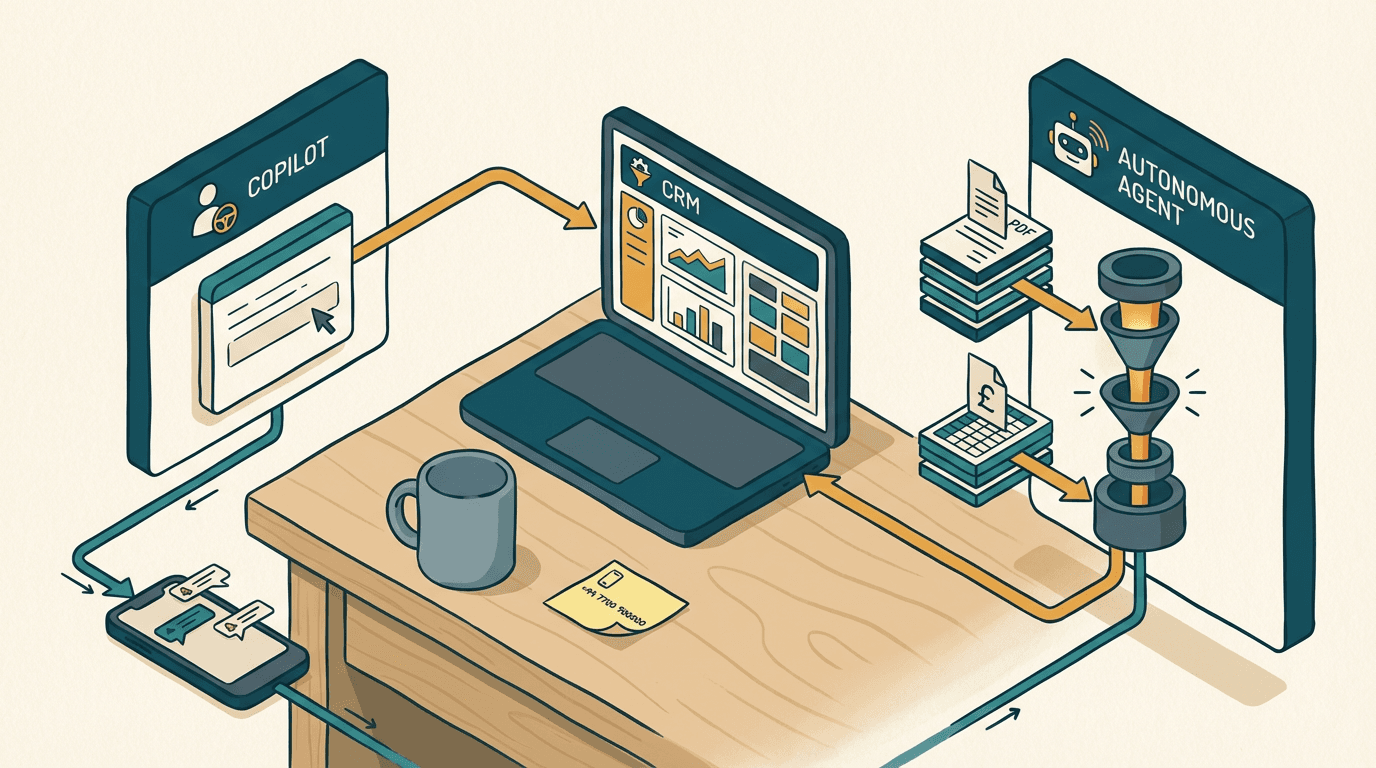
It's 4:30 PM. Your best sales rep just finished a 45-minute discovery call. They open Salesforce. They paste the call transcript into ChatGPT.
They ask for a summary. They copy the summary, paste it into the CRM notes, manually update the deal stage, and draft a follow-up email.
They do this 15 times a week.
You look at this and think you have an AI-driven sales team because you pay for a few monthly subscriptions. You don't. You have expensive humans acting as manual middleware between disconnected systems.
The mid-market B2B space is currently obsessed with choosing between Microsoft Copilot and Salesforce Agentforce. But buying a new tool doesn't fix a broken process. It just makes the broken process run slightly faster.
The shadow ops tax
The shadow ops tax is the hidden financial drain of paying your team to manually move AI-generated text between your inbox, your CRM, and your proposal software. SME owners watch polished vendor demos and assume artificial intelligence will autonomously handle the entire sales cycle.
The reality looks much different. Reps use AI to write emails faster, but the administrative burden of updating systems remains entirely manual. This tax affects every mid-market B2B team trying to scale.
It persists because leaders buy chat interfaces instead of building data architecture. A £25 monthly subscription can't replace a £40k salary. The mechanism is simple. When a tool lacks direct read and write access to your core database, the human operator must bridge the gap.
You end up paying your senior account executives to act as data entry clerks. They spend hours verifying outputs, copying fields, and correcting formatting. The friction doesn't disappear. It just changes shape.
You might save ten minutes drafting a proposal, but you lose fifteen minutes wrangling the formatting into your company template. This is a structural problem. It requires a structural fix.
Many MDs ignore this friction because it's hard to measure. You don't get an invoice for the hours your team wastes on copy-pasting. But it shows up in your customer acquisition cost. It shows up when your top performers burn out from administrative fatigue. You're paying a premium for AI tools, but you're still relying on human glue to hold the process together.
You need systems that talk to each other without human intervention. Until you build that, you are just subsidising the shadow ops tax with your payroll.
Why the obvious fix fails
The obvious fix fails because off-the-shelf AI assistants don't correct bad data architecture, they merely accelerate it. Most SMEs try to solve this by buying Microsoft Copilot licenses for the whole commercial team. They assume native integration with Microsoft 365 will magically connect their emails to their sales data.
Here is what actually happens. You deploy Copilot. Your reps ask it to draft a pitch based on recent files. Microsoft's recent Copilot Studio updates for SMEs highlight multi-agent orchestration and advanced SharePoint retrieval.
But if your underlying SharePoint permissions are a mess, the tool behaviour breaks down immediately. Copilot prioritises answering the prompt over verifying the truth. Copilot Studio requires strict metadata filters to function safely. Without them, the agent lacks context boundaries.
The pattern I keep seeing is companies deploying these tools before auditing their data hygiene. They treat Copilot like a magic wand that will organise their chaotic file structures. It doesn't work that way. An LLM can't discern intent if the underlying data lacks structure. It just reads whatever it has permission to read.
If a rep asks for the latest pricing on a custom logistics package, Copilot scans the tenant. It finds a 2022 PDF proposal in a forgotten folder. It confidently extracts outdated pricing and drafts the email. The rep hits send. You only notice the error when the client signs a contract with a 15% phantom discount. And yes, that's annoying.
The alternative mistake is stringing together Zapier flows. Teams try to push transcripts from Zoom into Salesforce using basic webhooks. Zapier's standard triggers can't read the nuanced state of a complex B2B deal.
If a prospect mentions they might delay the project to Q3, Zapier just dumps that text into a generic notes field. The CRM deal stage remains unchanged. The revenue forecast stays artificially inflated. You can't build a reliable sales engine on top of messy folders and generic text dumps.
The approach that actually works

The approach that actually works requires building autonomous agents that execute specific, bounded tasks rather than relying on open-ended chatbots. You define the exact inputs, the exact processing steps, and the exact outputs.
Here is a worked example for inbound lead qualification. A new prospect emails your sales inbox with a complex technical requirement. A human doesn't read this first. An n8n webhook catches the incoming email from Outlook.
It triggers a Claude API call using a strict JSON schema. The schema forces Claude to extract three specific variables. It needs the budget, the timeline, and the core technical specification. If Claude can't find those variables, the flow stops and flags the email for manual review.
If it finds them, Claude passes the structured JSON back to n8n. The system then uses the Salesforce API to search for existing accounts matching the domain. If none exist, it creates a new Lead record.
This is where autonomous capabilities step in. You trigger Salesforce Agentforce to evaluate the new lead. Salesforce's October 2025 general availability release positioned Agentforce to take action across business functions without human hand-holding.
It uses its reasoning engine to check your inventory via an ERP integration. It qualifies the lead against your strict criteria. It then queues a highly specific draft response in the rep's drafts folder. The rep logs in, reviews the drafted email, checks the accurately populated Salesforce record, and clicks send. You eliminate the manual data entry.
You use Make or n8n for the orchestration layer. You use Claude or OpenAI for the extraction layer. You use Salesforce Agentforce or Copilot Studio for the final reasoning and action layer. The tools matter less than the strict boundaries you place around them. You never let the agent send the email directly to a new prospect. You always keep a human in the loop for the final execution step.
Building this architecture takes time. Expect a 3 to 4 week build phase. The cost lands between £8k and £15k, depending on your existing API limits and legacy integrations.
You will hit failure modes. The most common is the LLM hallucinating a product capability that doesn't exist. You catch this by enforcing strict Retrieval-Augmented Generation against a verified product database.
The webhook must run a validation step. If the drafted response mentions a feature not found in your database, the system throws an error and refuses to save the draft. You design for failure.
Where this breaks down
This architecture breaks down entirely if your sales process relies on highly bespoke, relationship-driven pricing rather than structured rules. If every deal is negotiated over dinner and your CRM is just a digital Rolodex, an autonomous agent can't help you.
Agentforce needs rules. It needs historical data. If your closed-won deals in Salesforce lack line-item detail, the agent has no baseline to learn from. The error rate for automated quoting jumps from a manageable 2% to over 20% when you fragment the underlying product catalogue.
You also need to check your inbound data formats before committing to a build. If your suppliers or partners send requests for proposals as scanned TIFF files from legacy systems, you have a problem. You need an OCR layer first. That introduces latency and increases the failure rate.
You must also assess your team's technical maturity. If your sales reps currently struggle to log calls in HubSpot or Salesforce, introducing an autonomous agent will only confuse them further. They won't trust the drafted responses. They will overwrite the AI's work, completely negating the £15k you just spent on the build. You need buy-in from the people actually clicking the buttons.
Do not try to automate a process you don't fully understand. If your best sales rep can't write down the exact steps they take to qualify a lead, an LLM can't replicate it. The AI will just expose the inconsistencies in your current operations. Fix the process on paper first. Then build the system.
Three mistakes to avoid
1. DON'T buy licenses before mapping the workflow. You will waste money. Buying fifty Copilot subscriptions because Microsoft prompted you to is a mistake. Map the exact journey a lead takes from the first email to the signed contract. Identify the specific bottlenecks. Only buy the software that solves those exact bottlenecks. Software is a tool, not a strategy.
2. DON'T let agents email clients directly. You lose control of the relationship. An autonomous agent can draft a brilliant response, but it can't read the emotional subtext of a frustrated client. Always queue the generated emails in a drafts folder. Let the human rep review, edit, and hit send. The few seconds you save by fully automating the send button are not worth the risk of a hallucinated catastrophic error.
3. DON'T ignore the data foundation. You can't build smart agents on top of garbage data. If your CRM is full of duplicate accounts, outdated contacts, and empty custom fields, the agent will fail. It will pull the wrong context. It will make the wrong decisions. Spend the time cleaning your database before you introduce an AI layer. The shadow ops tax thrives in messy environments. Clean the data. Then build the automation.
Get our UK AI insights.
Practical reads on AI for UK businesses — teardowns, how-to guides, regulatory news. Unsubscribe anytime.
Unsubscribe anytime.