Eliminate the Month-End Translation Tax with AI Automated Bookkeeping
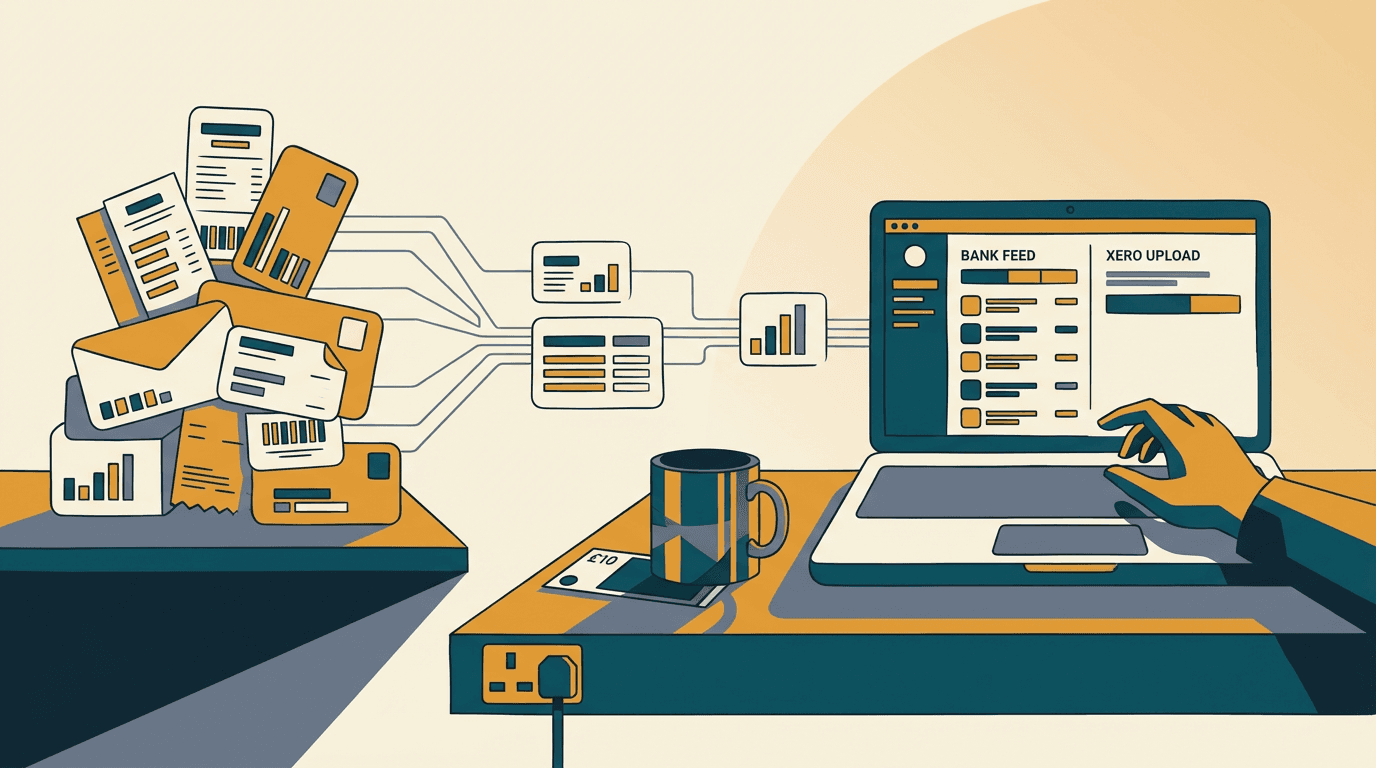
It's 9:00 PM on the 4th of the month. Your ops manager is staring at a dual-monitor setup, dragging PDF attachments from Outlook into Xero. One by one. They check the supplier name, type the total, guess the nominal code, and hit save.
They will do this 400 times before the VAT quarter ends. You are paying a £35,000 salary for a human being to act as a very slow, very expensive text parser. It's a mess.
With Making Tax Digital (MTD) expanding in April 2026, the volume of digital record-keeping is about to spike. You know you need automated bookkeeping. You've probably seen the headlines about Xero AI and Just Ask Xero (JAX). But turning those features on doesn't magically parse a messy 14-page supplier bill.
Here is what actually happens when you try to automate your ledger, and how to build a system that works.
The month-end translation tax

The month-end translation tax is the hidden financial drain of paying staff to read unstructured supplier documents and manually key that data into your accounting software before the VAT deadline. It is a structural flaw in how SMEs operate, and it scales terribly as your transaction volume grows.
You buy goods. The supplier sends an invoice. That invoice is just a picture of text. Xero needs structured data: contact, date, line items, unit price, VAT rate, nominal code.
The gap between the picture and the structured data is the month-end translation tax. Every UK SME pays it. You either pay it in wages, or you pay it in delayed reporting because the accounts team is drowning in paper.
Software vendors know this. Xero bought Hubdoc years ago. Now they are rolling out Just Ask Xero (JAX), their AI financial superagent (https://www.xero.com/uk/media/releases/xero-ai-powered-data-capture/).
JAX is brilliant for querying your data. You can ask it to reconcile bank statements or show overdue invoices. But JAX relies on the data already being inside Xero. If the data is trapped in a PDF in an ops inbox, JAX cannot help you.
The month-end translation tax persists because extraction is hard. Suppliers change their invoice layouts. They bury the purchase order number in the footer. They use weird date formats. Nobody knows why.
Business owners assume Xero's native AI or a basic add-on will eliminate the month-end translation tax overnight. It doesn't. You end up with a system that catches 60% of the easy invoices and completely chokes on the complex ones.
Your team still has to check every single entry. The tax remains. You just shifted it from data entry to data checking.
Why off-the-shelf Zapier flows fail
Off-the-shelf Zapier flows fail because they are built for flat data, completely breaking down when asked to process the nested line items of a standard supplier invoice.
The first thing most founders try is a basic Zapier integration. You set up a trigger. When an email with an attachment hits a specific Gmail inbox, send it to a parser, then create a bill in Xero.
It sounds perfect. It is a trap. End of.
Zapier is built for linear data. An invoice is nested data. You have one header for the supplier and date, plus multiple line items for the description, quantity, and tax rate. Zapier's basic actions struggle to iterate through an unknown number of line items and map them cleanly to Xero's nested arrays.
Here is the exact failure mode. The Zapier flow triggers. It sends the PDF to a generic OCR tool. The OCR tool spits out a block of text. Zapier tries to find the total and the date.
It misses the line items entirely. It creates a draft bill in Xero with the total amount, attaches the PDF, and leaves the line items blank.
Your accounts assistant logs into Xero, sees the draft bill, opens the attached PDF, and manually types out the 15 line items so the nominal codes map correctly. You automated the email forwarding. You did not automate the bookkeeping. And yes, that's annoying.
In 4 of my last 7 technical audits, I found broken Zapier flows quietly failing in the background. The team had just given up and gone back to manual entry.
The other popular fix is buying a £25/month ChatGPT Plus subscription for the finance team. You tell them to upload the PDF and ask Claude or ChatGPT to extract the data.
This is even worse. A £25/month ChatGPT subscription cannot replace a £35k salary, and here's the mechanism. ChatGPT outputs text. Your team still has to copy and paste that text from the chat window into Xero. You have added a step.
Off-the-shelf tools fail because they treat data extraction as a party trick. They do not treat it as a deterministic, programmatic pipeline. If you want to beat the MTD deadline, you need a pipeline.
Building a deterministic extraction pipeline

A deterministic extraction pipeline uses an orchestration tool to force a large language model to return strict, machine-readable data, which is then pushed directly into Xero via its API.
You do not use Zapier. You use n8n or Make. You do not use ChatGPT's web interface. You use the Claude 3.5 Sonnet API or the OpenAI API.
Here is the exact workflow. A supplier emails an invoice to your accounts inbox. An n8n webhook triggers immediately. n8n downloads the PDF attachment and converts it to base64 text.
Next, n8n makes an API call to Claude. Pay attention to this part. You do not ask Claude to just read the invoice. You use structured outputs.
You send Claude a strict JSON schema. You tell it to extract a supplier name, an ISO 8601 date, and an array of line items with exact quantities and unit prices.
You also pass Claude your specific Xero nominal codes and tax rates. You force it to map the supplier's weird tax description to Xero's exact 20% (VAT on Expenses) string.
Claude returns a perfectly formatted JSON object. It reads the 14-page PDF and extracts all 45 line items in seconds.
n8n parses that JSON. It checks the math. Does the quantity multiplied by the unit price equal the total? If yes, n8n sends a POST request to the Xero API, creating a fully populated draft bill.
Every line item is mapped. The nominal codes are correct. The VAT is calculated.
If the math fails, or if Claude flags a missing purchase order number, n8n catches the error. It does not push bad data to Xero. Instead, it sends a Slack message to your ops team. It flags the total mismatch and provides a link to review the file.
This is how you eliminate the month-end translation tax. You handle the 90% of standard invoices automatically, and you route the 10% of exceptions to a human.
Building this takes work. Expect 2-3 weeks of build time and £6,000 to £12,000 in setup costs, depending on how messy your supplier data is. But once it runs, the marginal cost of processing an invoice drops to fractions of a penny. Your team stops typing and starts reviewing.
Where automated extraction breaks down
Automated extraction breaks down when the documents lack the clarity required for an AI model to confidently parse the text. It relies on readable material. You need to know the edge cases before you commit to building a pipeline.
If your invoices come in as scanned TIFFs from legacy accounting systems, or if a supplier faxes you a handwritten manifestation, the pipeline hits a wall. LLMs are incredibly smart at parsing text, but if the underlying text is a blurry mess, they hallucinate.
The error rate jumps from 1% to 15%. You end up spending more time fixing hallucinations than you would have spent typing the data from scratch.
It also breaks down when suppliers bundle multiple orders into a single line item without detailing the VAT. If the invoice says Assorted goods for £4,000 but includes a mix of zero-rated and standard-rated items, the AI cannot guess the split.
Xero will reject the API call if the tax totals do not match the line items.
Before you build anything, audit your inbox. Look at your top 20 suppliers by volume. If they send native PDFs with clear line items, build the pipeline. If they send blurry scans, you need to force them onto a digital portal first.
Where to start
Preparing your ledger for MTD requires auditing your current manual data entry costs and testing strict AI extraction on your most complex supplier bills. You have a window right now to fix your ledger before mandates force your hand. Stop waiting for a generic SaaS tool to solve your specific supplier quirks.
Start small. Fix the biggest supplier first. The goal is not perfect automation. The goal is to stop paying humans to act like robots.
- Audit your invoice volume. Open your accounts inbox and count how many line items your team manually processed last month. Multiply that by the time it takes to type one line. That is your baseline cost.
- Test Xero's native tools first. Turn on Xero's AI-powered data capture and Hubdoc for a week. Feed it your most complex supplier bill. Watch exactly where it fails to map the line items. You need to know the limits of the free tools before paying for a custom build.
- Map your nominal codes. Export your Xero Chart of Accounts to a CSV. If you are going to use an LLM via API, you need a clean list of exact account names and tax rates to feed it.
- Build a proof of concept. Set up a free Make or n8n account. Connect it to an email trigger and a Claude API key. Try extracting just one PDF into a strict JSON format. You will see the power of structured outputs immediately.
Get our UK AI insights.
Practical reads on AI for UK businesses — teardowns, how-to guides, regulatory news. Unsubscribe anytime.
Unsubscribe anytime.