How to Build an AI Support Triage Engine That Actually Works
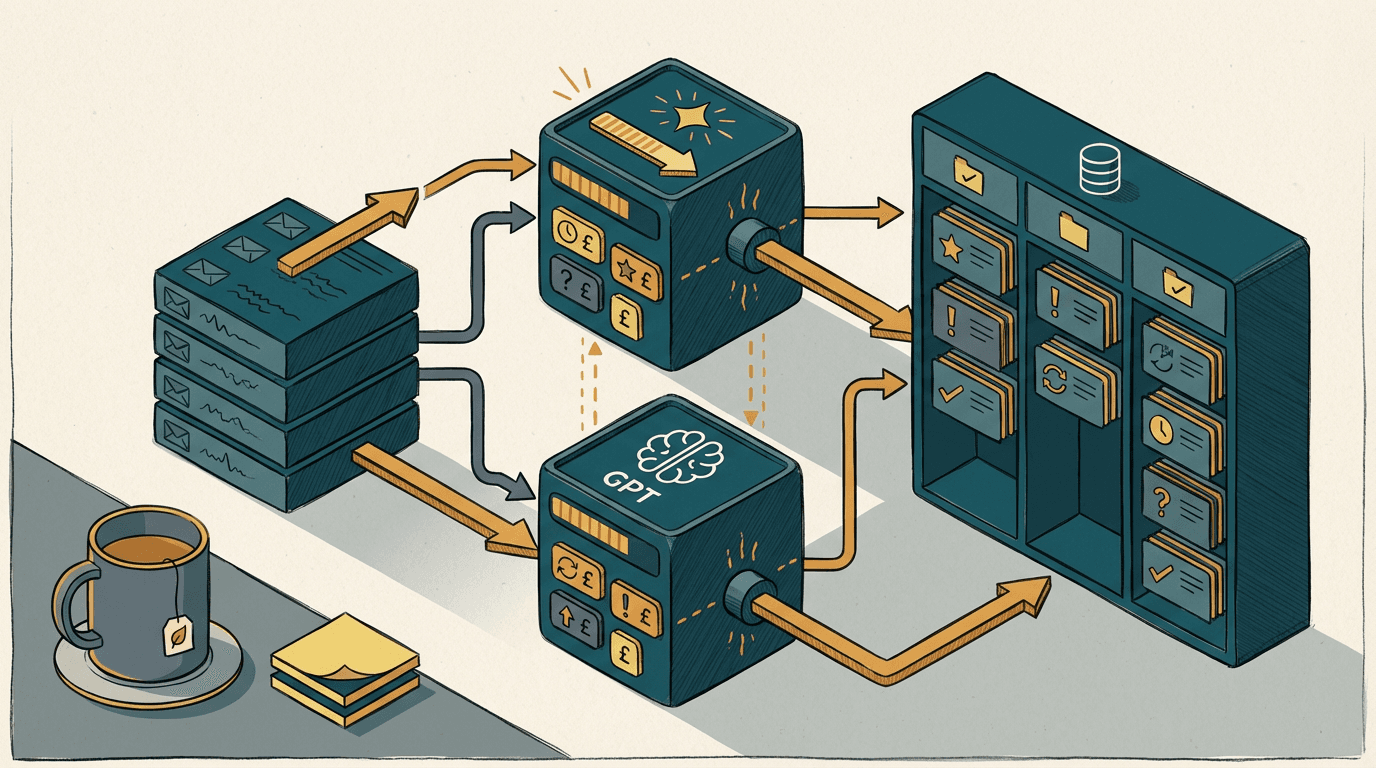
You sit down with your coffee at 8:00 AM. You open Zendesk, or maybe just a shared Outlook inbox. There are 143 new emails waiting for you.
Three of them are from your biggest wholesale clients asking for invoice copies. Twelve are angry retail customers wondering where their tracking links are. The rest are spam, vendor updates, and vague complaints like "it doesn't work".
Your ops manager spends the first two hours of every single day just reading these emails. They tag them. They move them to the right folders. They assign them to the right reps.
It is mind-numbing work. It is also the perfect job for an AI.
But if you just plug a basic AI into your inbox, things get worse. Tickets disappear into the void. VIP clients get automated replies meant for £10 retail buyers. The team stops trusting the system entirely.
Here is what actually happens when you try to automate frontline triage, and how to build a system that works.
The frontline context void
The frontline context void is the gap between the vague text a customer writes in a support ticket and the hard internal data needed to actually route their problem. Customers don't write in structured data. They write in emotion. They send an email saying, "The delivery is late again, fix it."
They skip their order number. They ignore their account tier. They forget the name of their account manager. This void is structural. It exists in every SME that sells a physical product or a complex service.
When a human reads that email, they don't just read the text. They look at the sender's email address. They search Xero for the domain. They check Shopify for recent orders. The human bridges the void by pulling context from your other systems.
Most SMEs ignore this. They assume an AI can just read the email and know what to do. But an AI can't read minds. If you don't feed it the surrounding context, it'll hallucinate a guess. It will treat every ticket as equal.
This is why your first attempt at AI triage failed. You asked the model to route a ticket based solely on 15 words of angry text. You didn't give it the database. You just gave it the complaint. And yes, that is annoying.
Why the basic Zapier handoff fails
The basic Zapier handoff fails because passing raw email text to an AI without a strict data schema guarantees the model will silently drop or misclassify edge cases. Most founders try the same obvious fix. They set up a Zapier flow to connect Gmail to ChatGPT and update Zendesk.
The prompt often looks like this: "Read this email and tell me if it is for Sales, Support, or Finance." It seems logical. It is also a disaster. I see this pattern constantly. In most cases, the business runs it for a week, realises VIPs are getting ignored, and turns it off.
Here is the exact mechanism of failure. When you use a basic Zapier integration, the AI returns unstructured text. You ask for "Sales" or "Support". The AI replies with "This looks like a Support ticket." Zapier then tries to map that exact phrase into a Zendesk dropdown field.
That dropdown only accepts the exact string "Support". The mapping fails. The Zapier run skips. The ticket sits in the inbox unassigned. Nobody knows why. End of. The automation dies quietly in the background, and you only notice at month-end when a customer churns.
Worse, the AI is completely blind to who the customer is. If a £50k wholesale client emails "My thing is broken", the AI reads the text and confidently routes it to the junior technical support queue. It doesn't know this is a VIP.
It doesn't know the email domain matches your biggest account in Pipedrive. You are asking the AI to make a routing decision based on a fraction of the necessary information. A £20 a month ChatGPT subscription cannot replace a human ops manager if you only give it half the data.
The triage engine that actually works

The triage engine that actually works intercepts the ticket via a webhook, enriches it with live CRM data, and forces the AI to return a strict JSON routing payload. You need a system that mimics the human ops manager. First, a customer emails "Where is my refund?".
Instead of Zapier, you use n8n. The n8n webhook catches the incoming email from Outlook. Before the AI even sees the text, n8n takes the sender's email address and queries the HubSpot API. It pulls their account tier, their last three orders from Shopify, and their assigned rep.
Now, you build the prompt. You send the email text, plus the HubSpot and Shopify data, to the AI. This is where the model choice matters. I benchmarked Google's new Gemini 3 Flash against OpenAI's GPT-5.2 Instant for this exact high-volume triage.
Both models are built for speed. Google released Gemini 3 Flash in December 2025 as an ultra-fast frontier model [source](https://blog.google/technology/ai/google-ai-updates-december-2025/). OpenAI launched GPT-5.2 Instant around the same time as their low-latency workhorse [source](https://openai.com/index/introducing-gpt-5-2/). For pure speed, Gemini 3 Flash wins.
Gemini 3 Flash processes the enriched payload in under 400 milliseconds. If you are routing 2,000 tickets a day, that latency matters. But GPT-5.2 Instant is slightly more rigid when you force it to output strict JSON. You don't want the AI to reply with a sentence.
You want it to reply with exactly {"department": "Finance", "priority": "High", "assigned_rep": "Sarah"}. GPT-5.2 Instant hits this schema perfectly. Once the n8n webhook receives that JSON, it parses the data and uses the Zendesk API to assign the ticket directly to Sarah.
The AI knew to route it to Sarah because the HubSpot data told it she was the account manager. It bridged the frontline context void. To build this, you are looking at two to three weeks of build time. It will cost between £5k and £9k depending on your existing integrations.
If your CRM is clean, the system sticks. If it is a mess, the AI will route garbage. Pay attention to this part. Your AI is only as smart as the data you feed it. Do not skip the enrichment step.
Where this setup breaks down
This setup breaks down immediately if your business relies on scanned PDF attachments or legacy on-premise databases that lack accessible APIs. You need to check your data infrastructure before you commit to building an AI triage engine. It is easy to get excited by the benchmarks, but reality is often messier.
If your customers primarily send support requests as scanned TIFF files or handwritten supplier invoices, a fast text model like GPT-5.2 Instant will choke. You will need an OCR layer first to extract the text. Once you add OCR, your error rate jumps from 1% to roughly 12%. The AI cannot route what it cannot read.
The system also dies if your customer data lives in a legacy ERP on a local server in your warehouse. If n8n cannot query your database via a modern API, you cannot enrich the prompt. The AI will be flying blind again, guessing at account tiers and missing VIPs completely.
Do not try to build this if your core customer data is siloed. Fix the database first. If your team is currently copying and pasting data between a terminal screen and an inbox, AI routing will not save you. You need basic software integration before you need artificial intelligence.
What to do now
Here are four specific steps you can take to map out your triage engine using the tools you already have.
- Open your Zendesk or shared Outlook inbox and pull the last 100 resolved tickets. Count exactly how many required the ops manager to look up information in another system before replying. That number is your baseline for enrichment.
- Check your CRM API documentation. Log into HubSpot or Pipedrive and confirm you can search contacts by email address to return an account tier. You need this endpoint to enrich the AI prompt. If it doesn't exist, stop here.
- Test a strict JSON prompt in the ChatGPT interface. Paste a customer email and type: "Output only a JSON object with keys for 'department' and 'urgency'. Do not include any other text." See if it breaks. You'll quickly see why rigid schemas matter.
- Calculate your baseline routing cost. If your £35k ops manager spends two hours a day just reading and assigning emails, you are spending roughly £8,750 a year on manual triage. Use that number to justify the build.
Get our UK AI insights.
Practical reads on AI for UK businesses — teardowns, how-to guides, regulatory news. Unsubscribe anytime.
Unsubscribe anytime.