Eliminating the Ledger Translation Tax in SME Finance Operations
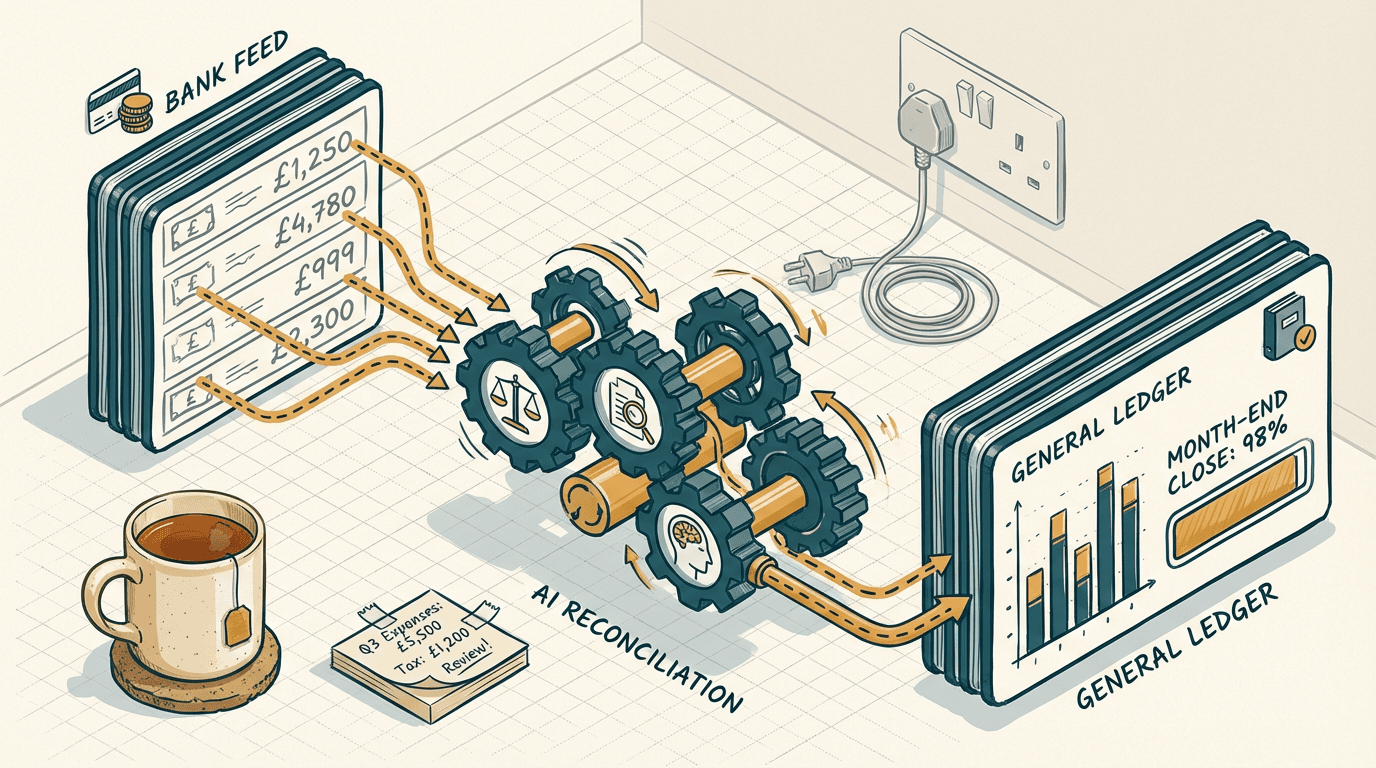
It's day nine of the new month. Your ops manager is staring at a dual-monitor setup, dragging CSVs from Shopify into Excel, while your accounts assistant manually cross-references a 14-page PDF from a freight forwarder. You just want the P&L. Instead, you get a Slack message saying the deferred revenue schedule is broken again.
Software vendors promise this is a solved problem. Intuit recently launched their new Accountant Suite in the UK, complete with embedded AI agents and a feature called Books Close at Scale [IT Brief UK](https://itbrief.co.uk/story/intuit-debuts-ai-native-accountant-suite-for-uk-firms). It sounds like the end of month-end misery.
But if you run a £10M logistics or e-commerce business, you already know the truth. Upgrading your accounting stack doesn't automatically close your books. The friction isn't in the ledger. The friction is in how the real world talks to the ledger.
The ledger translation tax
The ledger translation tax is the hidden operational cost of manually reformatting your messy, real-world business data just so your accounting software can digest it.
Every business pays it. You pay it when your sales rep closes a complex deal in HubSpot, but finance has to manually split the software subscription from the one-off hardware installation in QuickBooks.
You pay it when your warehouse receives split shipments. Your accounts assistant spends three hours matching partial delivery notes to a single supplier invoice. The data exists, but it is in the wrong shape.
Founders treat this as a staffing problem. They hire junior analysts and bookkeepers to act as human middleware. They sit between your operational tools (Shopify, Stripe, your warehouse management system) and your finance stack. They do nothing but copy, paste, and reconcile.
Intuit's Accountant Suite consolidates client management, payroll, and reporting into a single shared data layer. It even uses AI to flag anomalies across accounts payable.
That is genuinely useful for an accounting firm managing fifty clients. But for an internal SME finance team, it misses the root cause. The bottleneck is rarely the reconciliation rules inside the accounting software.
The bottleneck is getting the data into the software cleanly in the first place. If a supplier emails a heavily nested, multi-currency invoice that doesn't match your purchase order structure, no amount of native AI inside QuickBooks will fix it.
The software just sees bad data.
The human still has to intervene.
The tax gets paid every single month.
Why off-the-shelf automation breaks your finance stack
Off-the-shelf automation tools fail in finance because they lack the deterministic error handling required for double-entry bookkeeping.
When the month-end close stretches to two weeks, most founders try to buy a generic SaaS tool or string together Zapier flows. It rarely works. The pattern I keep seeing is finance teams ripping out these automated workflows after three months. They create more silent errors than they fix.
Take Zapier. It's a fantastic tool for linear, predictable tasks. But double-entry bookkeeping is neither. Let's say you want to automate supplier invoices from Gmail into Xero or QuickBooks. You set up a Zapier flow to parse the email and create a bill.
Here's the exact mechanism where it dies. Zapier's Find steps cannot easily handle nested logic or fallback loops without building a labyrinth of conditional paths.
When your supplier uses a custom contact field two levels deep, or spells their own trading name slightly differently, the automation silently writes a null value.
It doesn't alert you. It just skips the line item or dumps it into a generic suspense account. You only notice at month-end when the P&L looks completely wrong. Your CFO then has to reverse-engineer a hundred automated entries.
Look at generic ChatGPT subscriptions. Founders hand their accounts assistant a £25/month Plus account and tell them to upload PDFs. A £25/month ChatGPT subscription cannot replace a £35k salary, and here's the mechanism.
Standard LLM interfaces hallucinate numbers when faced with complex, multi-page tables spanning different tax treatments. If page three of the PDF has a sub-total that looks like a line item, the model will confidently double-count the VAT.
You cannot rely on probabilistic AI wrappers for deterministic accounting. You need strict schemas. You need error handling. Off-the-shelf tools give you none of that. They just move the mess from your inbox to your ledger.
Building a deterministic ingestion engine

A reliable month-end automation system separates messy data extraction from strict ledger storage.
Let Intuit Accountant Suite handle the final ledger and the firm-wide analytics. But build your own deterministic ingestion engine to feed it.
Here's what that looks like in practice.
Let's say you receive a massive monthly invoice from a freight forwarder. It has 400 line items, mixed VAT rates, and specific project codes that need mapping to your internal tracking.
First, the email lands in a dedicated Outlook inbox. An n8n webhook triggers instantly, grabbing the PDF attachment.
Next, n8n strips the text and sends a strict API call to Claude 3.5 Sonnet. I don't just ask Claude to extract the data. I use tool calling to enforce a rigid JSON schema.
The prompt dictates exactly how to format dates, how to handle null values, and how to validate that the sum of the line items equals the invoice total.
If the math doesn't tie out, the API call fails. n8n catches that failure and routes the invoice to a Slack channel for human review. It pings the team: Math mismatch on FreightCo invoice. Please review.
If it passes, n8n takes that validated JSON payload and queries your QuickBooks or Xero API. It checks if the supplier exists. It checks if the purchase order matches.
Then, it PATCHes the invoice line items directly into the ledger. The bill is fully coded and ready for approval.
By the time the data hits your accounting software, it is pristine. Intuit's new AI agents can then do what they do best. They monitor the portfolio for anomalies and run the Books Close at Scale templates without choking on bad inputs.
Building this exact pipeline takes about 2-3 weeks of focused build time. Depending on your existing integrations and the complexity of your supplier formats, expect it to cost between £6k and £12k to ship.
That sounds like a heavy upfront lift. But it eliminates the ledger translation tax completely. You stop paying humans to copy-paste. You stop hunting for missing VAT pennies on day 12 of the month. The system either processes the invoice perfectly, or it flags it immediately.
The edge cases you cannot ignore
Custom ingestion engines break down the moment they encounter unstructured physical documents or misaligned internal master data.
This architecture is powerful, but it isn't magic. Before you commit to building a custom ingestion engine, you need to audit how your data actually arrives. I always check the physical inputs first.
If your suppliers send modern, digital PDFs, Claude will parse them flawlessly. The text is embedded directly in the file.
But if your invoices come in as scanned TIFFs from a legacy accounting system, or photos taken on a dashboard by a delivery driver, this system breaks down fast.
You need an OCR layer first to convert the image to text. Once you introduce OCR, the error rate jumps from 1% to roughly 12%.
An '8' becomes a 'B'. A decimal point vanishes. When that happens, the strict JSON validation fails. The invoice gets kicked to manual review anyway, defeating the purpose of the build.
It also fails if your internal master data is a mess. If your project codes in Pipedrive don't match your tracking categories in QuickBooks, the API cannot map the data. The automation will hit a 404 error and stop.
You have to clean your house first. Standardise your cost centres. Force your suppliers to send digital PDFs. If you don't fix the physical inputs, the fastest AI in the world will just automate your mistakes.
What to do now
Don't rush out to buy another software license before mapping your existing friction points.
- Audit your manual touchpoints. Open your Xero or QuickBooks audit trail. Look at the last 50 invoices processed. Count exactly how many required manual line-item splits or category reassignments. That is your baseline.
- Standardise your inputs. Email your top 10 suppliers this week. Tell them you can only accept digital, text-selectable PDFs sent to a specific accounts payable alias. Cut out the scanned paper before you try to automate anything.
- Test strict JSON extraction. Take your messiest supplier invoice. Go to the Anthropic API console. Write a prompt that forces Claude to return the data in a strict JSON format, matching your exact accounting columns. See if it catches the edge cases.
- Map the exact failure points. Ask your accounts assistant to document the exact step where Zapier or Dext fails them right now. You need to know if it's a nested field issue or a math validation issue before you build a custom n8n webhook.
Get our UK AI insights.
Practical reads on AI for UK businesses — teardowns, how-to guides, regulatory news. Unsubscribe anytime.
Unsubscribe anytime.